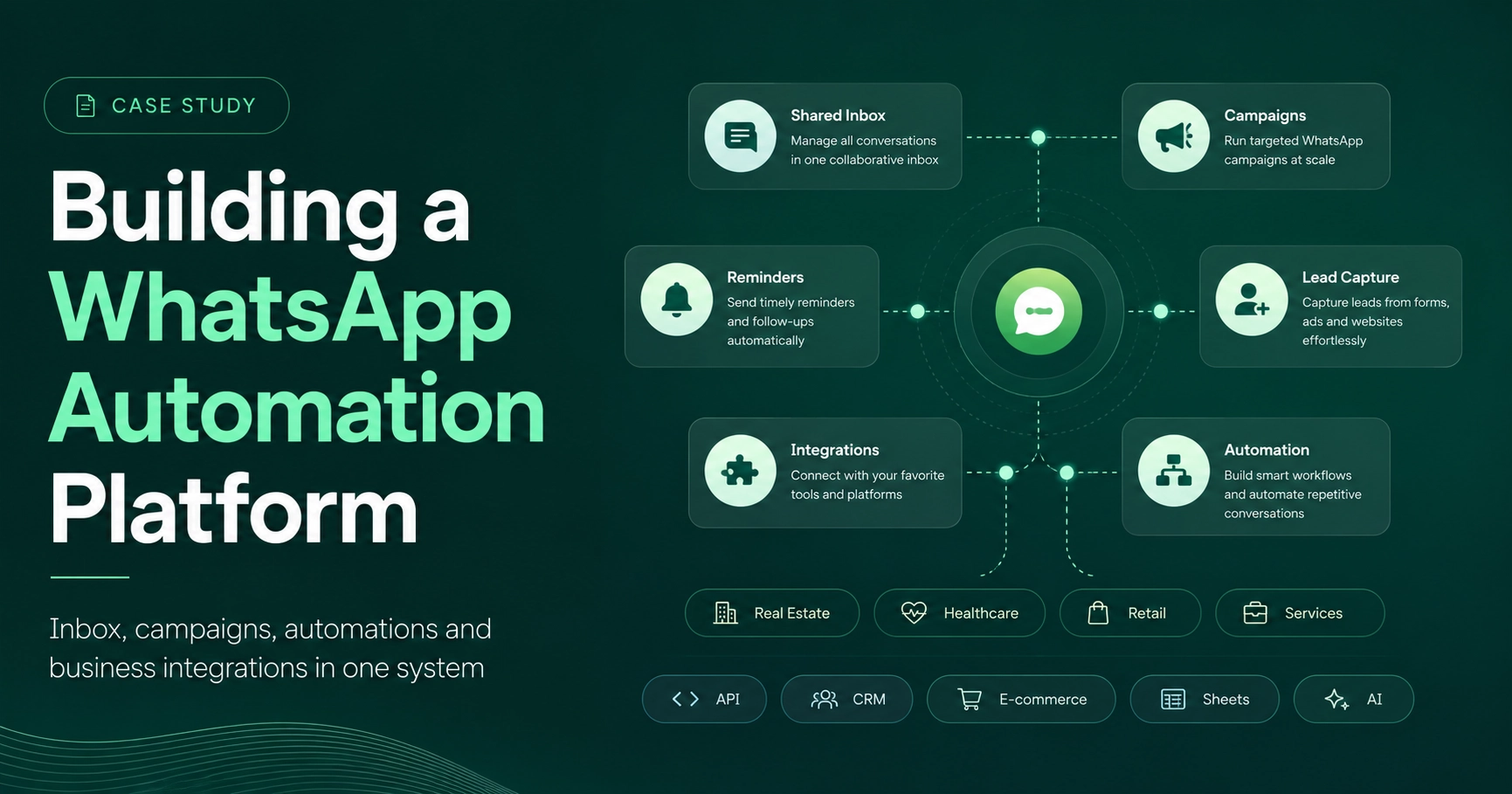
WhatsApp automation sounds simple until you try to connect conversations, campaigns, customer data, e-commerce, AI and human agents into one reliable system.
That is what I discovered while building WAutomation.
The goal was not to create another basic chatbot. I wanted to build a platform that could manage the wider customer journey, from the first WhatsApp message to automation, team handling, product discovery, follow-ups and conversions.
The problem wasn't sending messages
Sending a WhatsApp message through an API is only one small part of the system.
Businesses also need to manage:
incoming conversations
multiple agents
customer information
campaigns
approved message templates
automated replies
leads
follow-ups
product data
reporting
When these are handled across different tools, the workflow quickly becomes fragmented. WAutomation was built to bring those pieces together.
Connecting directly with Meta
One of the most important parts was integrating Meta's WhatsApp Business API. Incoming messages and delivery events are processed through webhooks, while the platform handles outgoing messages, campaign sending, templates and conversation management.
Campaign tracking was especially important. Instead of only knowing that a campaign was sent, the platform can track information such as:
Sent → Delivered → Read → Customer Action. That gives the business much more useful information than a simple broadcast tool.
Automation that still allows human support
Not every conversation should stay with a bot. That is why I built a shared Team Inbox where agents can manage conversations, assign chats, view customer information and control automated replies. Automation can handle repetitive parts of the journey, while an agent can step in when a real conversation is needed. For me, that balance is much more useful than trying to automate everything.
Building the Flow Builder
One of the most interesting parts of the project was the Visual Flow Builder. Instead of hardcoding every WhatsApp journey, workflows can be created visually. For an e-commerce business, a flow could look like: Welcome → Categories → Products → Product Details → Order
For another business: New Enquiry → Collect Details → Qualify Lead → Assign Team → Follow Up
This makes the platform adaptable without rebuilding the core system for every business.
Connecting other systems
WAutomation also connects with WooCommerce, allowing products and categories to be synchronized and used directly inside WhatsApp workflows.
I integrated OpenAI for AI-powered functionality, Google Sheets for customer data workflows and a separate Python automation bot for processing parts of the WhatsApp automation logic. The interesting part was not any single integration.
It was making them work together:
Meta → Web App → Automation Bot → Business Data → Customer. APIs and webhooks keep those systems connected behind the scenes.
More than one industry
Although some of the first workflows were built around e-commerce, the architecture is not limited to online stores. The same platform can be adapted for:
real estate enquiries
healthcare and appointment workflows
retail
service businesses
lead generation
customer support
Additional APIs, CRMs, payment systems or internal tools can also be connected depending on what the business needs.
What I learned
The biggest lesson from building WAutomation was not about WhatsApp itself. It was about designing a system where several independent services need to stay synchronized while the final product still feels simple to the user. That is the part of full-stack development I enjoy most.
Building something where the complexity stays behind the scenes, and the person using it simply sees a workflow that works.